.avif)

Blog Summary
- The exact 2025/26 payroll year end dates for final FPS, P60, P11D and Class 1A National Insurance, in one place.
- A practice-ready checklist that turns year end into a routine task, not a scramble.
- What happens if you miss a deadline, and how HMRC penalties actually work.
- Why more UK accounting practices are outsourcing payroll year end instead of absorbing it in-house.
Introduction
Payroll year end UK deadlines do not move for anyone. Miss one, and HMRC issues a penalty regardless of how busy your practice was that week.
Every accounting practice in the UK runs this gauntlet each spring. The tax year closes on 5 April.
From there, you face a tight run of dates for final submissions, P60s, and P11D forms.
For a two-partner practice with 40 payroll clients, this is not one task. It is 40 versions of the same task.
All of them fall due in the same six-week window.
This guide gives you every 2025/26 deadline, and what each form actually requires. It also answers a question more practice owners are asking.
Should payroll year end sit in-house, or go to a dedicated team?
Key Payroll Year End Dates For 2025/26
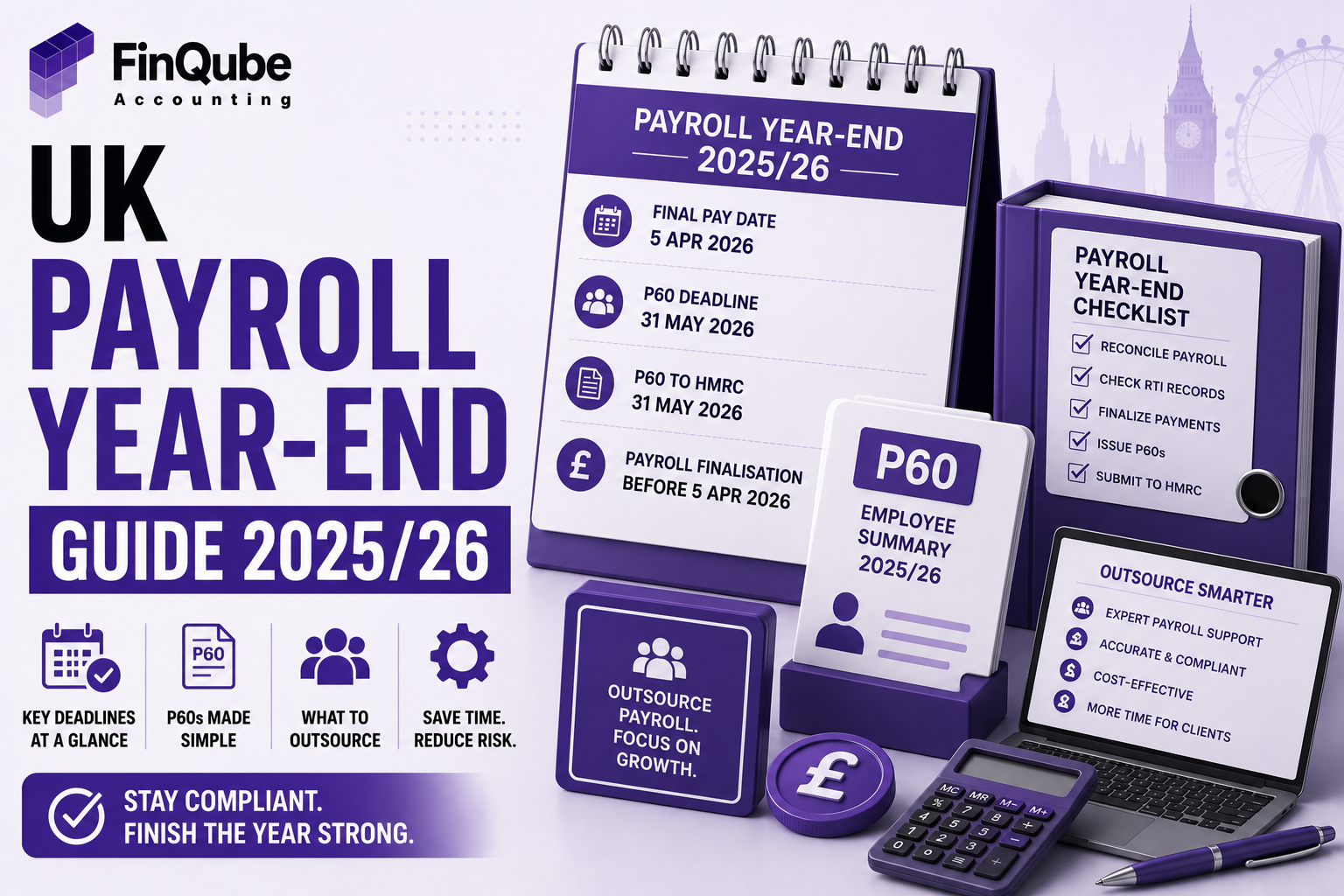
The 2025/26 tax year ends on 5 April 2026. Five dates matter most after that.
Mark these five dates in every client's calendar now. HMRC will not extend them for a busy season or a short-staffed team.
What Payroll Year End Actually Involves
Payroll year end is the process of closing one tax year of payroll records and opening the next. It sits on top of your normal monthly payroll run.
You are not just running one more payslip. You are reconciling twelve months of pay, tax, and National Insurance data, then reporting it to HMRC in a specific format.
For each client, the process covers four things. You confirm the final pay period is correct. You submit the final FPS and EPS.
You issue P60s to every employee still on the payroll on 5 April. You then prepare and file P11D forms for anyone who received benefits in kind.
At the same time, you set up the new tax year. That means updating tax codes and applying new National Insurance thresholds.
You also check National Minimum Wage rates for any staff paid at that level.
According to GOV.UK, every employer must give a P60 to each employee working for them on 5 April. There is no exception for small employers.
Why Payroll Year End Trips Up Even Good Practices
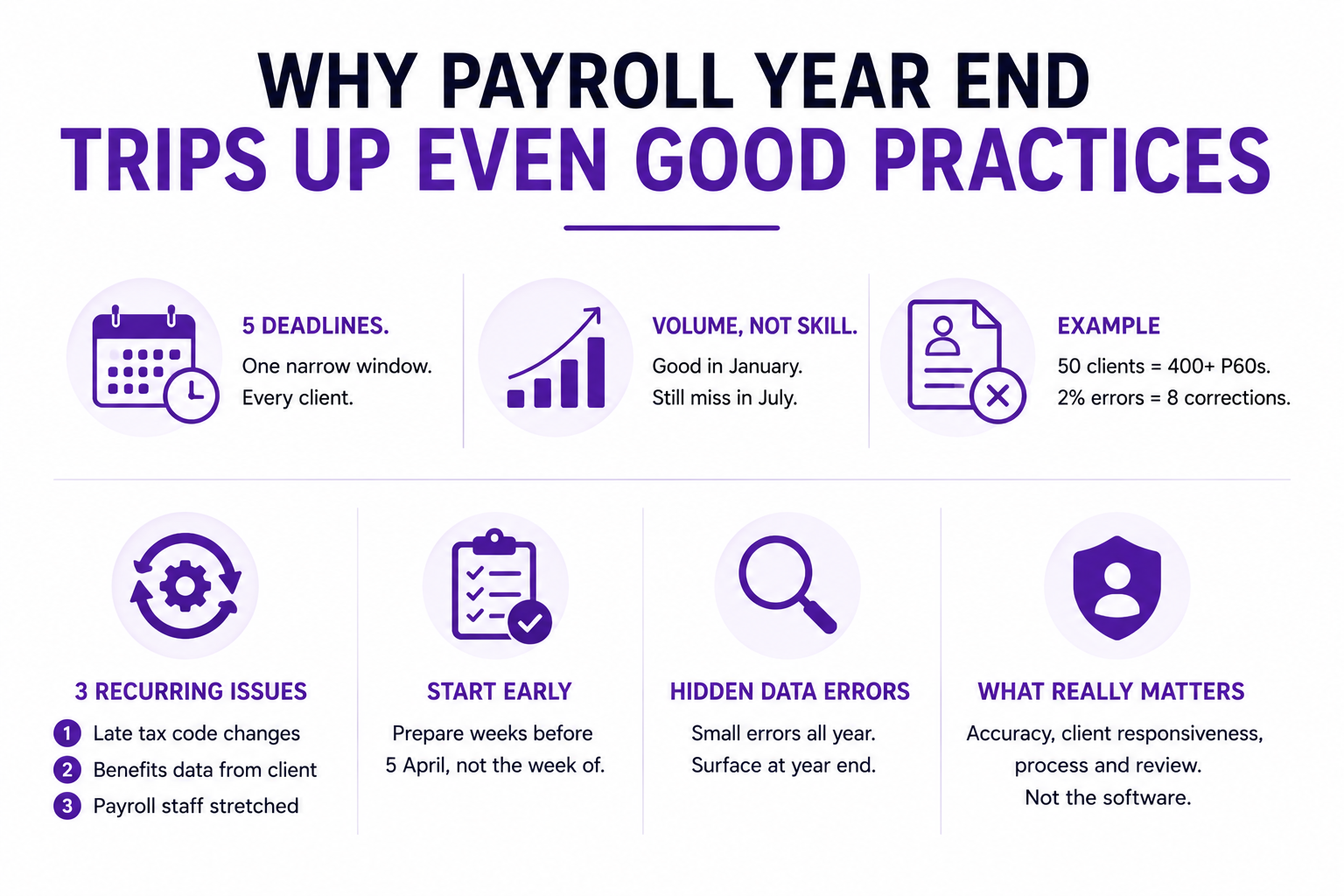
Payroll year end causes problems because five separate deadlines land inside one narrow window, across every payroll client at once.
A practice that handles payroll well in January can still miss a P11D deadline in July. The volume, not the skill, is the problem.
Three specific issues come up every year. First, tax code changes arrive from HMRC late, sometimes after payroll has already run for the new year.
Second, benefits in kind data lives with the client, not the practice. Gathering it takes chasing.
Third, staff who handle payroll often cover other client work too. Year end then competes with everything else on their desk.
For example, a firm running payroll for 50 clients might issue over 400 P60s in one window. Even a 2% error rate means eight corrections.
Therefore, the practices that get through year end cleanly are usually the ones that started preparing weeks before 5 April, not the week of it.
There is also a data quality problem hiding underneath the deadline pressure. Payroll figures built up correctly all year can still hide small errors nobody caught earlier.
Those errors do not matter much in a normal monthly run. At year end, they surface all at once, inside a document sent to an employee or straight to HMRC.
AccountingWeb regularly covers this exact pattern among UK practitioners. Data accuracy and client responsiveness, not the payroll software itself, usually decide whether year end runs smoothly.
Both issues come down to process and review, not the tools you already use.
Who Should Own Payroll Year End At Your Practice
Payroll year end needs one named owner per client, not a shared team hoping someone picks it up.
Ambiguity is the real risk here. When three people can technically run a client's payroll, none of them treats the P60 deadline as theirs specifically.
The best-run practices assign one person per client file for the whole year end period. That person owns the final FPS, the P60 issue, and the P11D collection.
This is also where outsourced payroll providers uk support changes the picture. A dedicated payroll accountant working only your firm's files brings the same single-owner structure.
Your own team never gets pulled off other client work during your busiest weeks.
When Each Deadline Falls And What Happens If You Miss It
Each 2025/26 deadline carries a specific penalty if you miss it. The penalties compound the longer a filing stays outstanding.
For a full breakdown of what each field on the form requires, see our guide to p11d forms.
Late P60s do not carry an automatic fixed penalty. However, HMRC can charge penalties if employee records are wrong or incomplete as a result.
Late P11D and P11D(b) filings carry a penalty of £100 per 50 employees. HMRC charges this for each month or part month the return stays outstanding.
This is confirmed in HMRC's own Employer Bulletin, June 2026.
Late payment of Class 1A National Insurance adds interest from the day after the due date. A pattern of late filings also raises your chance of an HMRC compliance check.
As a result, the safest position is to treat every deadline as fixed, then build in a buffer of at least one week before each one.
Where You Submit Payroll Year End Forms
Every payroll year end submission for 2025/26 goes through HMRC's PAYE Online service or your payroll software's RTI connection.
Final FPS and EPS submissions go in through the same RTI payroll UK system you use for monthly payroll.
This applies whether you run Xero, QuickBooks, Sage, or any other software.
P60s go directly to employees, not to HMRC. Most payroll software generates these automatically once the final FPS is filed, either as a printed form or a secure digital copy.
As Xero UK explains, employees can also use a P60 as proof of income for mortgage applications or tax credit claims.
Keeping a digital copy on file saves you from reissuing it later.
P11D and P11D(b) forms go to HMRC through PAYE Online or your payroll software's benefits module. Paper P11D submissions are no longer accepted for most employers.
However, the software only produces a correct output if the underlying data is correct. An error entered in month nine still produces a wrong P60 in May.
How To Prepare For Payroll Year End Without The Panic
You prepare for payroll year end by starting reconciliation in February, not April.
Three weeks before the tax year closes, reconcile every payroll client against their year-to-date figures. This catches discrepancies while there is still time to fix them with the client.
Two weeks before, confirm which employees will still be on payroll on 5 April. Chase any outstanding benefits in kind data from clients.
This is usually the slowest step, so start it early.
One week before, run a dry final FPS to check for errors. File the real one on or before the last payday.
Book time straight after to issue P60s and start the P11D collection process.
Here is a simple pre-year-end checklist your team can follow for every client file.
Build this checklist into your practice management software once, then reuse it every year. The dates shift slightly, but the sequence of steps rarely does.
Assign an owner to each row, not just each client. This makes it obvious who is accountable if a step slips.
That single change removes most of the confusion that turns a busy season into a chaotic one.
Real Scenario: How One Practice Fixed Its Year End Chaos
Laura Bennett runs a nine-partner practice in Leeds with 65 payroll clients. Every May, her team lost a full week to P60 corrections.
The problem was not skill. Her payroll team was experienced. The problem was capacity. Three staff covered payroll alongside VAT and bookkeeping work.
In 2025, Laura brought in a dedicated FinQube payroll accountant to run year end for 20 of her larger clients.
The accountant worked inside Laura's existing Xero and Sage files. Nothing changed for her clients.
FinQube's proprietary AI review software flagged three tax code mismatches and one missing benefits record before any P60 went out.
Laura's team reviewed a clean file instead of chasing errors afterwards.
By July, Laura had filed every P11D on time for the first time in three years, and her own team recovered a full week during her firm's busiest month.
How FinQube Can Help With Payroll Year End
Payroll year end does not need more headcount. It needs one dedicated person per client, and a second set of eyes before anything reaches HMRC.
FinQube gives every practice a single named payroll accountant. This is not a shared pool that changes depending on who is available that week.
Your clients get consistency, and you get one point of contact.
That accountant works inside the systems you already use, whether that is Xero, QuickBooks, Sage, FreeAgent, or any other software.
There is no migration and no disruption to your existing client files.
Before any P60 or P11D reaches your review, FinQube's proprietary AI review software checks the file first. It flags tax code mismatches, missing benefits data, and reconciliation errors.
You review a file that has already been checked, not one you check from scratch.
Pricing runs on a fixed monthly fee, not an hourly rate. A heavy year end month does not turn into an unpredictable bill.
There is no minimum contract, so you bring in support for the exact weeks you need it most.
If IR35 status is a concern, FinQube is structured as a services agreement, not a labour supply arrangement.
Your dedicated accountant works as part of your firm's process, not as placed staff.
To see how other firms are already shifting this workload, read our guide on outsourced payroll services uk firms are using to save time each spring.
Ready to see it working before your next deadline? Book a call with FinQube and see how a dedicated payroll accountant and our AI review software handle a real client file. No minimum contract, no obligation to continue.
One month. No contract.
See how a dedicated Finqube accountant fits into your MTD workflow before you decide.
Start your free pilotConclusion
Payroll year end UK deadlines are fixed, but the chaos around them does not have to be. Five dates, tracked early, turn a stressful season into a routine one.
The practices that handle this well start preparing in February. They assign one owner per client and build in a review step before anything reaches HMRC.
However, if your team is already stretched, a dedicated payroll accountant can absorb the volume without adding headcount.
Book a call with FinQube today and put a real plan behind your next payroll year end.
FAQ
When is payroll year end 2025/26?
The 2025/26 payroll year end falls on 5 April 2026. Final FPS and EPS submissions follow by 19 April 2026.
P60s are due by 31 May, and P11D forms by 6 July.
What is the deadline to give employees their P60?
You must give every employee still on your payroll on 5 April a P60 by 31 May 2026. This applies to every UK employer, regardless of size.
What happens if I miss the P11D deadline?
HMRC charges £100 per 50 employees for each month or part month your P11D and P11D(b) return is late. Interest also applies to any unpaid Class 1A National Insurance.
Do I need to file a P11D if I have no benefits to report?
No. If none of your employees received taxable benefits or expenses, you do not need to file a P11D for them. Check each employee individually before assuming this applies firm-wide.
Can I outsource payroll year end for just some clients?
Yes. Most outsourced payroll providers, including FinQube, let you hand off specific clients or specific tasks, such as P60 issuing or P11D preparation.
This makes it easy to test the arrangement on your busiest clients first, then expand it once you see the review process working.
What software do I need for payroll year end submissions?
You need RTI-compatible payroll software such as Xero, QuickBooks, Sage, FreeAgent, or any other HMRC-recognised system. Paper P11D submissions are no longer accepted for most employers.
How early should I start preparing for payroll year end?
Start reconciling payroll data at least six weeks before 5 April. This gives you time to chase missing benefits data and fix errors before the final FPS is due.
Firms that wait until April usually spend May and June correcting avoidable mistakes instead of moving on to their next client deadline.