.avif)

Blog Summary
- What outsourced payroll actually covers, not just running payslips
- Why UK practices outsource payroll, and what changes when they do
- How a dedicated remote payroll setup works week to week, from data to RTI submission
- How Finqube's dedicated remote team keeps payroll accurate, with review built into every file before it reaches you
Introduction
A payroll deadline does not move. Pension contributions, RTI submissions, and payslips all land on the same day each month. This is true whether your team has the capacity or not. For a practice running payroll for 30 or more clients, one bad week can put every client at risk at once.
This is why outsourced payroll UK searches keep climbing. Practice owners are not chasing control they can hand away. They want one less thing that breaks when a staff member is off sick, or a new client onboards late.
This guide covers what outsourced payroll means for a UK practice. It explains how the process works day to day. It also covers what changes for a partner once payroll runs through a dedicated outsourced team instead of one person's inbox.
What Is Outsourced Payroll?
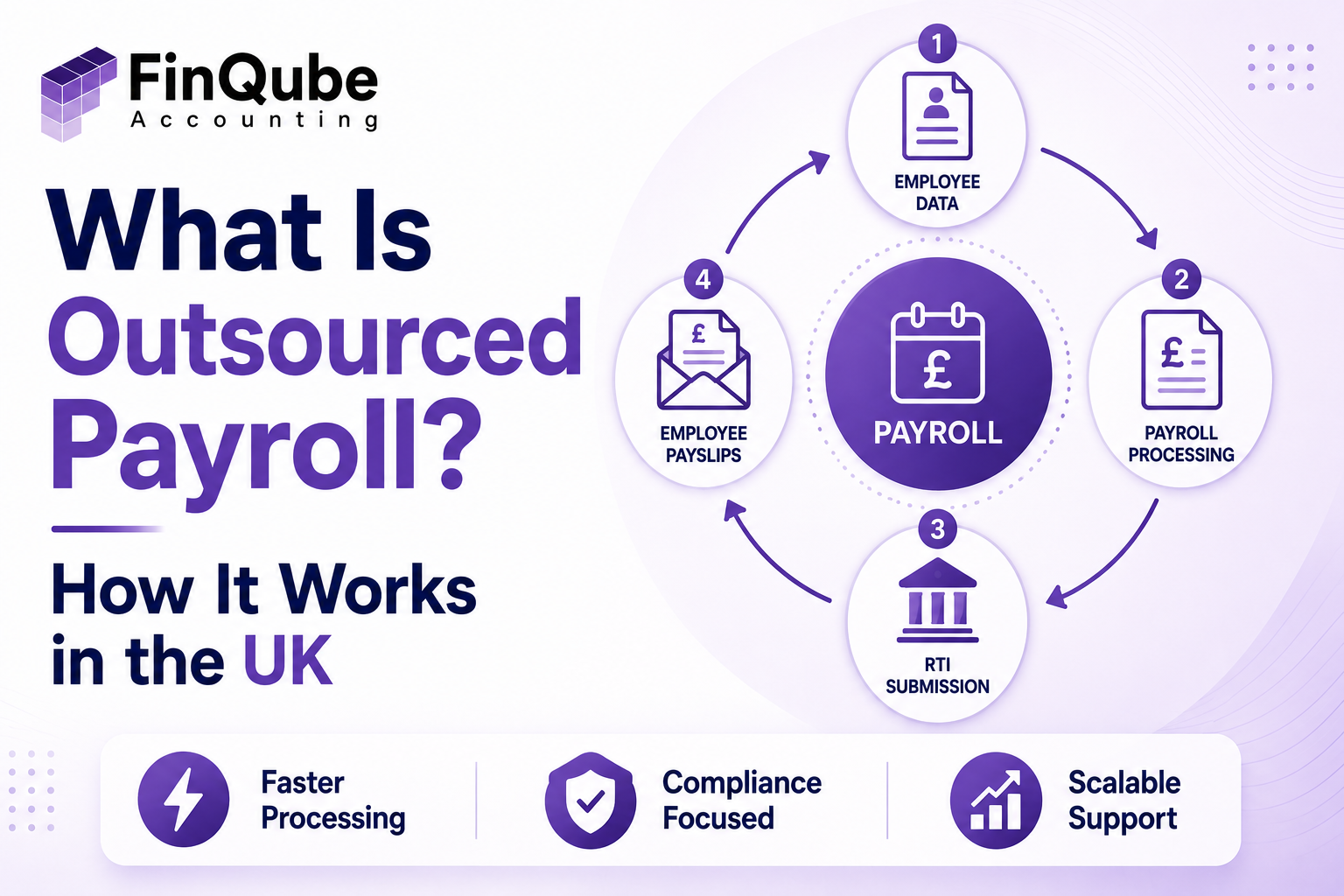
Outsourced payroll means a third party runs your clients' payroll on your behalf. This covers everything from data collection through to RTI submission and payslip delivery. You keep final oversight. You keep the client relationship.
This is not the same as a client using a payroll bureau directly. In a proper outsourced model for accounting practices, your firm stays the client-facing contact. The outsourced team works inside your systems, follows your processes, and every file is reviewable before it reaches anyone outside the firm.
Outsourced payroll usually covers:
- Gross-to-net calculations
- PAYE and National Insurance deductions
- Statutory payments, including sick pay and maternity pay
- Pension auto enrolment assessment and contributions
- RTI filing with HMRC
- Payslip generation and distribution
- Year-end reporting, including P60s
- Starter and leaver processing
Some providers go further and handle CIS deductions for construction clients, or support benefits-in-kind reporting. Ask what is included before you sign anything. Scope varies a lot between providers.
Why Do UK Practices Outsource Payroll?
UK practices outsource payroll mainly to protect accuracy and capacity. Payroll has zero tolerance for missed deadlines. Cost is rarely the first reason.
Payroll is unforgiving in a way other compliance work is not. A late VAT return has some flexibility built in. A late RTI submission does not. A missed pension contribution does not. Auto enrolment failures can bring penalties from The Pensions Regulator. The client feels that failure immediately. There is no waiting until year end.
Staffing risk is the other big driver. In most small practices, payroll knowledge sits with one or two people. When that person takes leave, or leaves the firm, payroll becomes the most exposed part of the business overnight. A dedicated remote team removes that single point of failure.
Cost still matters. But it closes the decision. It should never open it. Practice owners rarely want the cheapest option. They want the reliable one. Many have already tried cheaper. It cost them a client.
Who Actually Handles Outsourced Payroll?
A dedicated remote payroll accountant handles the processing. They work inside your existing software, or any other software your practice already uses, and report through your review process. Your firm keeps the client relationship and final sign-off.
This differs from a freelance bookkeeper who picks up payroll as one task among many. A dedicated team member works specifically on payroll. They follow your firm's procedures. They answer to a named contact at your practice. You always know who touched the file and what they changed.
HMRC compliance responsibility sits with your practice, not the outsourced provider. This is exactly why visibility into their work matters more than the outsourcing decision itself. A provider who shows you nothing is a bigger risk than doing the work in-house.
When Should a Practice Move Payroll Off Its Own Desk?
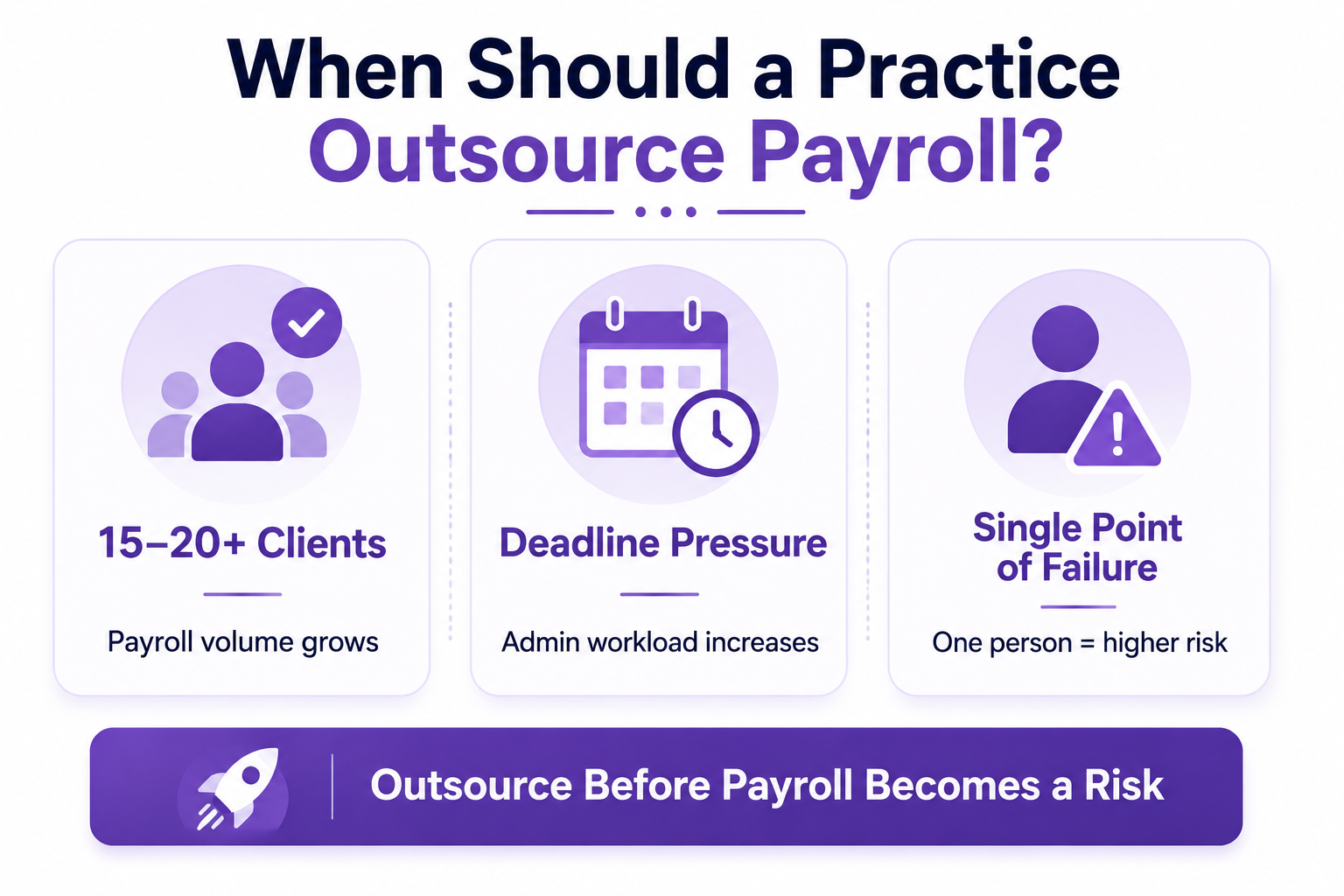
Consider outsourcing once your practice runs payroll for more than 15 to 20 clients. Also consider it as soon as deadlines start depending on one person's availability, regardless of client count.
Below that volume, in-house processing is often manageable with the right software, whether that is Xero, QuickBooks, Sage, FreeAgent, or any other software. Above it, admin load grows faster than most practices plan for. New client onboarding, mid-month starters and leavers, and pension re-enrolment cycles all add complexity. That complexity does not scale neatly with a fixed team.
The clearer warning sign is risk concentration. If one staff member's annual leave puts a deadline at risk, that is the moment to act. Client count is a useful guide, but it is not the real trigger.
Where Do Most Payroll Errors Happen?
Most payroll errors happen at the data entry stage. They rarely happen in the calculation itself. Starter details, tax code changes, and hours worked cause the most problems when entered incorrectly before processing even begins.
Payroll software rarely gets the maths wrong. It processes exactly what it is given. The real risk sits upstream of that: a P45 not actioned, a student loan deduction missed, a bonus entered in the wrong period, or a pension opt-out recorded incorrectly.
This is also where review visibility matters most. A second set of eyes catching a variance before submission, not after, is the difference between a clean payroll run and a corrected one.
There is a second category that catches out even experienced teams: timing errors around statutory payments. Maternity pay, sick pay, and holiday pay calculations all depend on accurate historical data. A gap in that history produces a wrong figure that looks correct on the surface. Mid-year tax code changes from HMRC cause the same problem. They are easy to miss if nobody actively checks for them between submission windows.
Corrections after submission cause far more disruption than catching the issue early. An amended FPS to HMRC, a corrected payslip, and an explanation to the client all take longer than the original error took to create. This is the real cost of a payroll mistake. It is not the fix itself. It is everything the fix triggers afterwards, including the awkward call to the client.
How Does Outsourced Payroll Work, Step by Step?
Outsourced payroll typically runs as a five-stage monthly cycle. Data collection, processing, review, submission, and distribution repeat on a fixed schedule for every client.
The review stage is where a dedicated outsourced team earns its place. Practices using a dedicated remote accountant, supported by structured review software, cut the time spent on this stage significantly. Variances get flagged before anyone needs to chase them down manually.
Outsourced Payroll vs Hiring In-House vs Software Only
Software alone does not remove the admin burden. Someone still needs to enter data, check variances, and file on time, whether that software is Xero, QuickBooks, Sage, or any other software. Hiring solves capacity, but it adds recruitment time, salary cost, and the same single-person risk you started with.
There is a middle option many practices overlook: keep payroll in-house, but add a dedicated reviewer who checks the work before it goes out. This catches the same errors an outsourced model would, without moving the processing itself. It suits practices with strong in-house payroll knowledge but no spare capacity to build a second checking step internally. For most practices under 15 staff, though, building that internal review layer costs more time than handing the processing to a dedicated outsourced accountant.
What Outsourced Payroll Costs
Pricing for outsourced payroll in the UK usually runs on a per-payslip or per-client basis, rather than a flat monthly fee. The exact figure depends on client volume, complexity, and how many extras (CIS, benefits-in-kind, multi-frequency runs) sit on top of the core service.
Rather than quote a single number that will not fit every practice, most providers, including Finqube, prefer to scope pricing against your actual client list on a discovery call. This also means you can compare like for like: a provider quoting a flat low fee may be excluding auto enrolment or year-end reporting from that headline number. Always ask what is included before comparing prices across providers.
The bigger financial impact usually is not the monthly fee anyway. It is the reduced risk of a missed deadline, a Pensions Regulator penalty, or a client walking after a payroll error. Practice owners who have been burned by a cheap provider before tend to weigh reliability well above the invoice total.
Real Scenario: Shah & Co Accountants
Priya Shah runs Shah & Co Accountants in Leeds. Before working with Finqube, one senior member of her team handled payroll alongside VAT and bookkeeping work for the whole practice. Any time that person took leave, payroll became a scramble.
Priya had no easy way to see which payroll files were ready and which were still waiting on data. RTI deadlines sometimes went out with hours to spare. Nobody wanted to say so out loud, but the practice was one bad week away from a real problem.
After bringing in a dedicated Finqube payroll accountant, with a structured review step built into every file, Priya's team stopped scrambling. Files now move through data collection, processing, and review on a fixed schedule. Priya can see exactly where every client's payroll sits at any point in the month. She no longer needs to ask.
How Finqube Can Help
Every Finqube payroll engagement includes a dedicated remote accountant. Every file also goes through a structured review step before it reaches you, at no extra cost.
This gives you a live view of every payroll file your dedicated accountant is working on. Before a file reaches your desk, it has already been checked for common variance errors, missed deductions, and pension assessment issues. You review work that is already clean, rather than checking everything from scratch.
This matters most in payroll specifically, because the deadline never moves and the margin for error is small. The same accountant works on your clients every cycle. Over time, they build the pattern recognition that catches a wrong tax code before it becomes a wrong payslip.
Finqube works inside whatever system your practice already runs, including Xero, QuickBooks, Sage, FreeAgent, or any other software. There is no requirement to switch platforms to get started.
Ready to see how it works? Book a discovery call. There is no minimum commitment, and no pressure to sign anything before you have seen how a dedicated payroll accountant fits inside your existing setup. Explore our engagement models.
Conclusion
Outsourced payroll works best when it removes risk, not just a task. The right setup gives you a dedicated person who knows your clients. It gives you a review process that catches errors before HMRC ever sees them. It gives you full visibility into work that used to sit with one person and a deadline.
If payroll is the part of your practice that depends on one person never taking a sick day, that is worth fixing now. Book a discovery call with Finqube. There is no minimum commitment, so you can see how a dedicated remote payroll accountant works inside your systems before you decide anything.
One month. No contract.
See how a dedicated Finqube accountant fits into your MTD workflow before you decide.
Start your free pilotFAQ
What does outsourced payroll include?
Outsourced payroll typically includes gross-to-net calculations, PAYE and National Insurance deductions, pension auto enrolment, RTI submission to HMRC, payslip generation, and year-end reporting such as P60s.
Is outsourced payroll the same as using payroll software?
No. Payroll software is a tool. Someone still needs to enter data, check it, and file it. Outsourced payroll provides the person doing that work, often using software your practice already runs.
Who is responsible for payroll compliance if it is outsourced?
Your practice stays responsible for HMRC compliance, even when payroll processing is outsourced. This is why visibility into the outsourced team's work matters as much as the output itself.
How quickly can a practice set up outsourced payroll?
A dedicated outsourced payroll accountant can usually start within 1 to 2 weeks. Recruiting and onboarding an in-house hire tends to take 3 months or more.
Does outsourcing payroll work with Xero, QuickBooks, or Sage?
Yes. Outsourced payroll teams generally work inside whichever system your practice already uses, including Xero, QuickBooks, Sage, FreeAgent, or any other software, rather than requiring a switch.
What happens during pension auto enrolment as part of outsourced payroll?
The outsourced provider assesses each employee against auto enrolment thresholds every pay period. They process opt-ins and opt-outs, and they submit the required pension contributions on schedule.
How much does outsourced payroll cost for a UK practice?
Cost varies by client volume and complexity, and it is usually quoted per payslip or per client rather than as a flat fee. Ask any provider exactly what is included before comparing prices.